Integrations Overview
TemplateTo provides powerful automation capabilities to generate PDFs programmatically. Whether you're building a custom application or using no-code tools, we have the right integration for you.
Available Integrations
REST API
Build custom integrations with our comprehensive REST API. Perfect for developers who want full control over the PDF generation process.
Use cases: - Generate invoices from your billing system - Create reports from your database - Bulk generate certificates or documents - Integrate with any programming language
Zapier
Connect TemplateTo with 5,000+ apps without writing code. Create automated workflows that generate PDFs based on triggers from your favorite tools.
Popular workflows: - Generate invoices when new orders arrive - Create contracts from form submissions - Send personalized PDFs via email - Archive documents to cloud storage
N8N
Build complex automation workflows with this powerful open-source platform. N8N provides advanced features for data transformation and conditional logic.
Key features: - Self-hosted option for maximum control - Visual workflow builder - Advanced data manipulation - Error handling and retries
Authentication
All integrations require authentication using API keys. This ensures your templates and data remain secure.
Managing API Keys
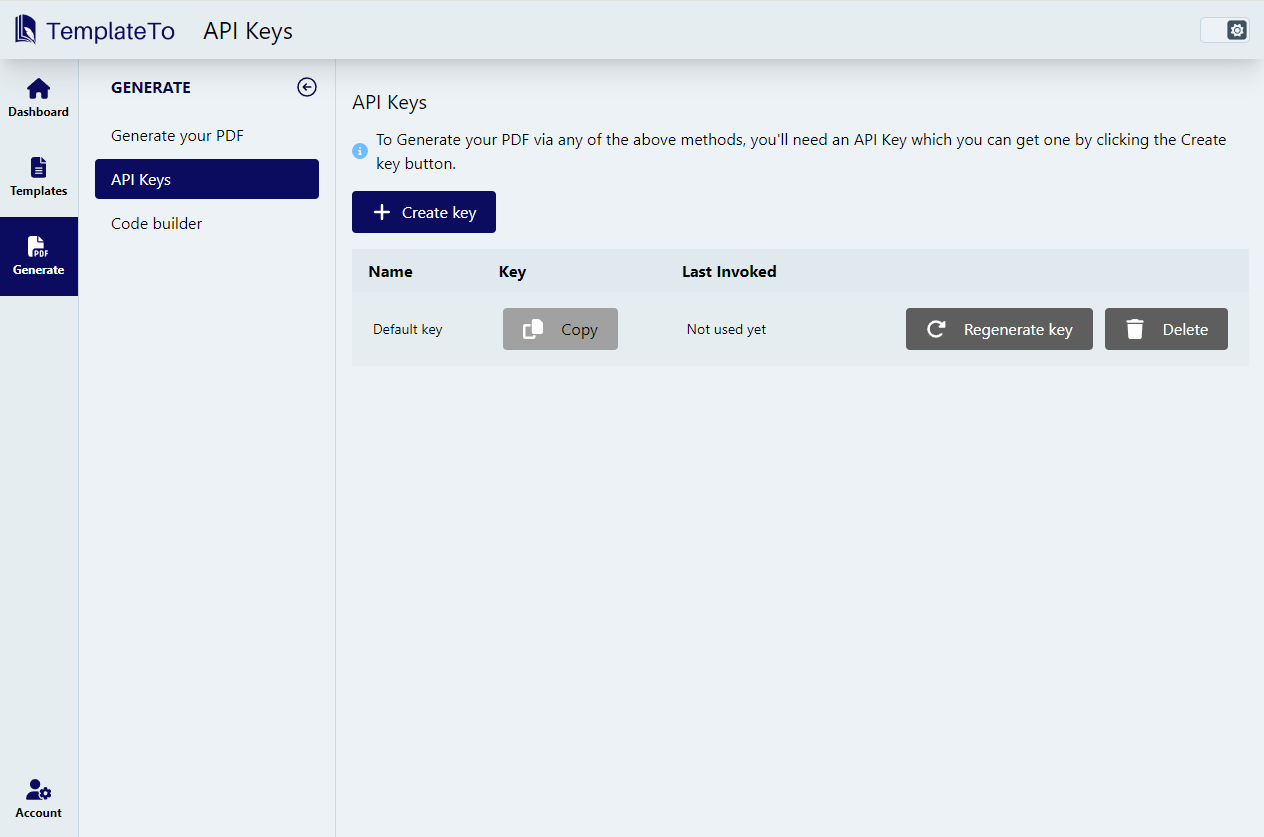
- Go to the API Keys page in your TemplateTo account
- Click "Create New API Key"
- Give your key a descriptive name (e.g., "Production Server" or "Zapier Integration")
- Copy the key immediately - it won't be shown again
- Store it securely in your application's environment variables
Security Best Practices
- Never commit API keys to version control
- Use different keys for development and production
- Rotate keys regularly
- Delete unused keys immediately
Getting Started
- Choose your integration method based on your technical requirements
- Create an API key for authentication
- Follow the specific guide for your chosen integration
- Test with sample data before going to production
Need help choosing? Here's a quick guide: - Developers: Use the REST API for maximum flexibility - No-code users: Start with Zapier for easy setup - Power users: Consider N8N for complex workflows